Friday, March 21, 2014

Avastar keeps giving problems to me, but I am quite stubborn and would like to solve what's wrong. Today,  using the instructions of Eleanora Nevell , I tried again,
here they are up to point four:

[23:00] Eleanora Newell: Workflow for unweighted mesh:

1.  Have your mesh and the avastar figure and rig (I like them on different layers,
 you can put them as you like) ready.

2.  Select your mesh and the rig.  In the skinning panel, choose weights from bones 
(or meshes if you want them from the avastar figure meshes - the figure must be visible
 if this is your option).

3.  Press the fitted mesh configuration and apply.

4.  Fitted mesh panel in the Bone Presets Operator panel at the bottom of the toolbar, 
weight should be set to Move and Generate Weights checkmarked.
 
No "generate weights " appeared, then I made it to have it, don't ask me how, no idea, 
but no checkmark, then I closed everything again and opened an old file, so when I tried to 
move weights I got an error message, here it is.
Here I am. Waiting.
 And trying again, now the mesh seemps properly rigged with weights. I will let you know more
 
 X mirror does not seem to work
But finally I made it to weight the mesh, which is great. 
 ok, fearing it will not export to dae I check the weights, and get  this, more
 than 700 etc verts with more than 4 weights, but..
when I check one weight, I get a lot of 0 on many different parts. How was that possible?
I did not add weights, so Avastar did it, or I used it in the wrong way. As I thought, it is not possible to create a Dae file
 

Thursday, March 20, 2014

one more try
the body is deformed, the dress is not,though it is selected with bones

Still struggling with Avastar today, and quite frustrated, as things do not show up where they should. Not sure why this is happening ( I am the best beta tester, make it in such a way as to change the usual working of any program )but I am watching Gaia's video http://blog.machinimatrix.org/2014/03/18/breaking-news-on-avastar-1-1/, go to 12.30 and compare my picture : bone presets does not show up. I opened the default avi in Avastar, yesterday I  tried fitted avatar from the menu above, though it was what was not weighting properly ( see yesterday's post)
See also Gaia's video at 1228, Bone presets here or fitted mesh does not show up ( it used to)
I guess I will have to uninstall Avastar and install it again, but have to look if I can leave the file unzipped, the first time doing it, and I am short of time, this is very time consuming, hours..
A few days ago it worked ( was it version .11? not sure), here you can also see through after weighting  ( it didn't )and I cannot see fitted bones, but I used to see them, so not sure about what happened.
I am also a bit confused as I got you have to use classic rigging, detach sliders, parent armature, use fitted rigging , move weights ( can't see the box to do that but I know I saw it  yesterday in .23 , and this is .23 ), add sliders. Not sure this is the process.Any help is welcome.

Wednesday, March 19, 2014

a problem in weight transfering, avastar .23
51 verts with more than 4 deforming weights and 48 with no weight

Thursday, March 6, 2014

For all working with Avastar Blender, is this cursor normal? Difficult to work with it, as I cannot select with precision
Anyway I removed and reactivated Avastar and it works with a normal cursor now, not sure what happened, maybe some buttons I pressed not in the usual way the program works.

Monday, January 13, 2014

Marzia, not yet in store but nearly ready, a story to tell...

 Can you see the difference between the two pictures above?


Saturday, January 11, 2014


Ndella is my last creation, in a kind of Oriental taste and color, including an ancient symbol found in Armenia  ( 1100 AC)


Sunday, November 11, 2012

Virginia sexy gown


it comes in many colors, two to start with. One is in leather and you can see shadows using the proper viewer
slurl.com/secondlife/Figaro/245/27/99


Sunday, November 4, 2012

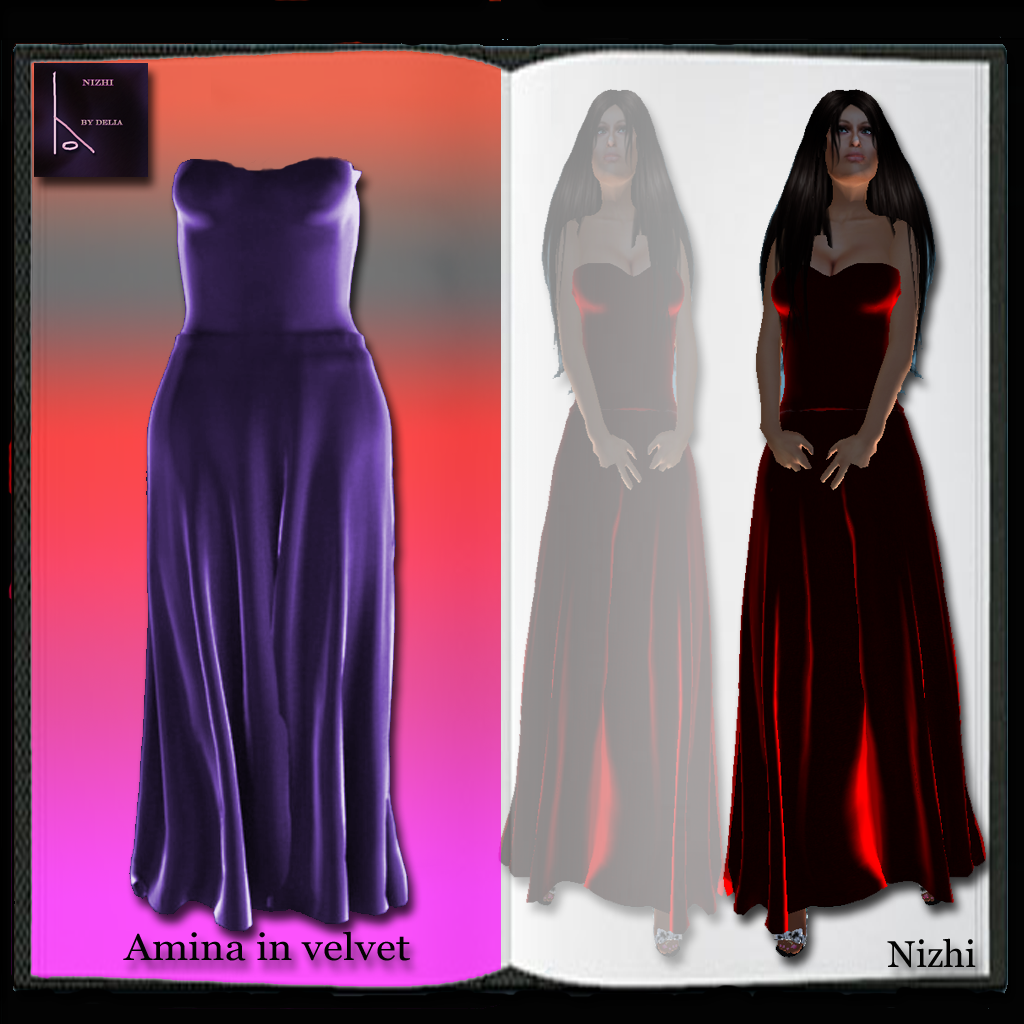
New beautiful gown

I created a flowing velvet gown in rigged mesh, and I put a demo in my store. this is the picture:

So I know some of you will say " oh no, mesh is not for me, not one is good on my body! " or think " well there are so many  around, why should I try this one?
My answer is just try it the demo, see the quality, see if you want it ( I think you will want to have it! )
I provided a shape, mod copy, so that you can see the measures required and adjust your own shape. The " 5 ones" ( medium, small, xl, xxl etc) will come soon.

Saturday, March 24, 2012

Mesh

I am working with mesh, so I created two mushrooms (out for 10l) Boletus Edulis, for your garden, and a blue box ( mod transf) for your weddings to give invitations, or just to put your gifts inside . It has a silver ribbon on it, with two red hearts,  it is lined in a lovely Florentine blue paper, outside and inside and a soft white veil comes out from its opening.  75 L$
Monica wedding dress in long and short version comes with it for 10l$, with a soft jacket, a top, gloves and of course gowns!
http://slurl.com/secondlife/Figaro/232/100/99

Wednesday, October 12, 2011

a preview


Ragnina made of cobwebs...

Agatina


it will be on sale from the 15th of October, together with Fortunata

Thursday, September 15, 2011

Moderata in light blue

http://slurl.com/secondlife/Figaro/242/93/88
my last creation, with symbols, in light blue

Sunday, September 4, 2011

freebies

freebies in Nizhi, and reduced gowns, the beautiful green Grazia and Xenia in blue

Monday, July 4, 2011

A blog on a blogger

Beatrice Serendipity ( yes,what a meeting! ) blogged Aurina in blue and made wonderful pictures of it http://beatriceserendipity.blogspot.com/2011/07/seldom-blue.html
as she has a professional photographer studio.
She must be very romantic , as she met her rl husband on sl first, yes such things can happen... so I see how she can like Aurina!